
How to Remove a Pinch Wheel from Romeo® or Juliet®
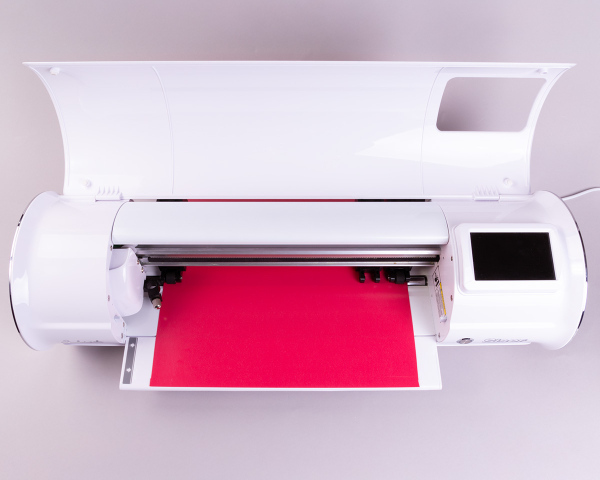
So, you’re cutting some leather on your Romeo® or Juliet® cutter and notice… there are tread marks right down the middle of the material! You’ve tried to move the extra pinch wheel(s) out of the way, but they still roll over your material. You think to yourself: “Is it possible to remove a pinch wheel?” The answer is YES! Read on to see how you can remove a pinch wheel from Romeo or Juliet… without voiding the warranty.
Before You Begin
Before you get started on your cutter operation (don’t worry, it’s painless!), you’ll need to make sure you have all the supplies ready to go.
To efficiently remove a pinch wheel from Romeo or Juliet, you’ll need the following:
- A Romeo or Juliet (of course!)
- Needle nose pliers
- An EasyWeeder®
- A thin towel or paper towel
- Optional: A small plastic bag for holding the removed parts
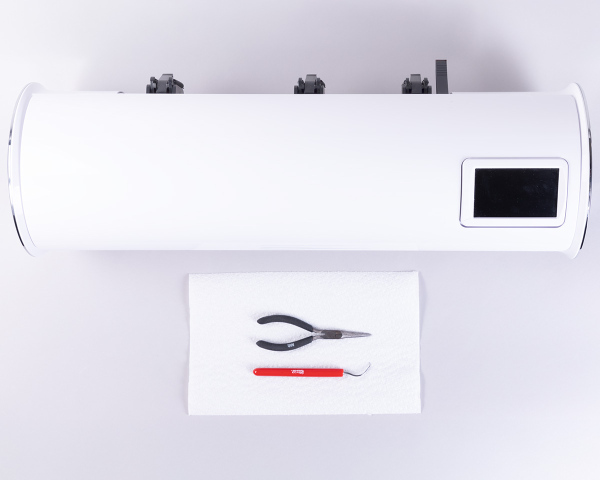
If you have all the supplies, you’re ready to begin!
Removing a Pinch Wheel
Step 1: Safety
First things first: safety! Before you begin, make sure your cutter is unplugged. You don’t want to accidentally activate the carriage head while you’re working.
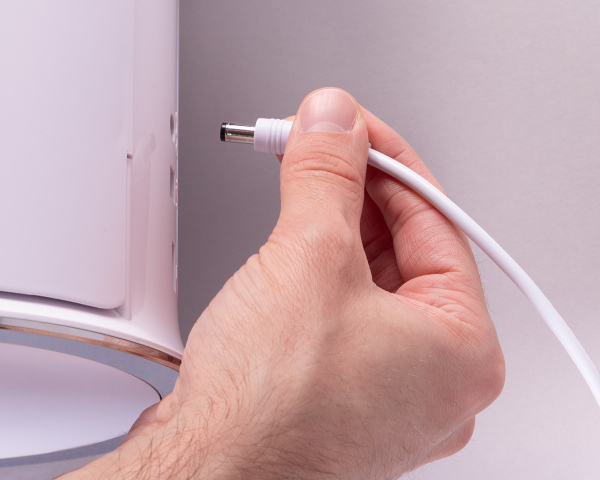
Once you’ve verified that your Romeo or Juliet is disconnected from power, push the carriage head all the way to the left to get it out of the way. When powered off, the carriage head should easily move without using much force.
Lastly, push the lever on the back of the cutter down to raise the pinch wheels. Then take a piece of paper towel, a napkin, or a thin towel and slide it underneath the pinch wheel that you want to remove. This is to prevent the small metal clip in the next step from falling into the roller bar crevice.
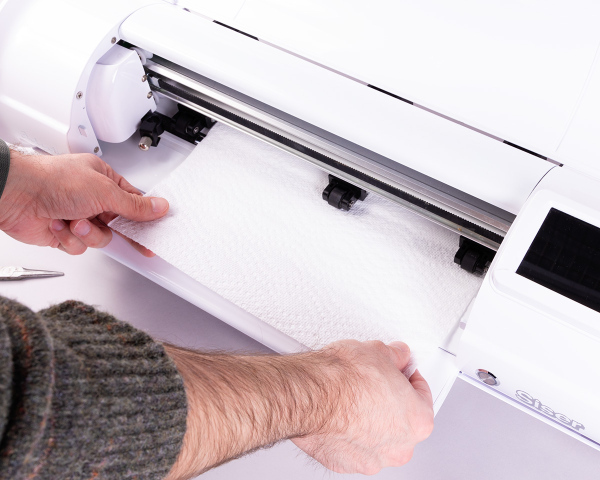
Now that you’ve taken all the necessary safety precautions, you’re ready to move on!
Step 2: Removing the Metal Clip
It’s time to begin the pinch wheel removal process! Locate the pinch wheel you want to remove and make sure the other wheels are moved out of the way so you have an open work area.
On the left side of the pinch wheel is the exposed end of the metal shaft with a small metal clip on it. Notice how there are two small “notches” in the clip.
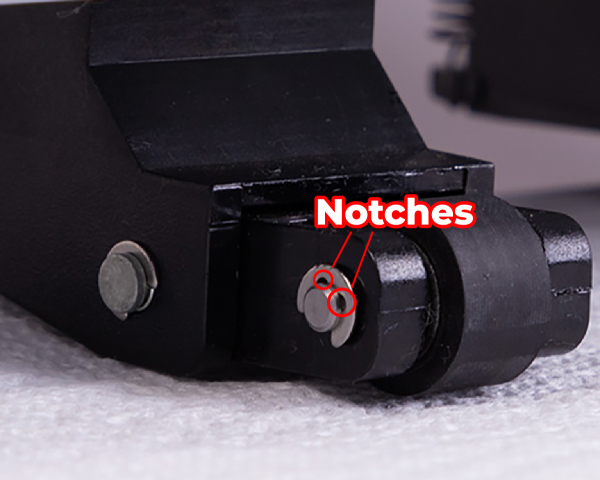
Take your EasyWeeder and hook it inside one of the two notches, then pull it outwards from the center until the metal clip pops loose.
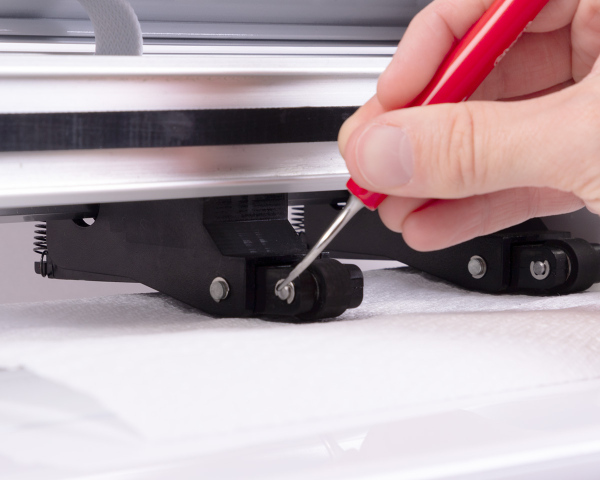
The metal clip may “fling” downwards, which is why it’s important to place down a towel or napkin! I recommend immediately storing the clip in a small plastic bag or other secure area, so you don’t lose it.
Step 3: Removing the Pinch Wheel
With the metal clip now removed, shift your focus to the right side of the pinch wheel. On this side, you will see the other end of the metal shaft and another metal clip. Don’t remove the clip from this side! Instead, use a pair of needle nose pliers to grip the metal shaft and pull it straight back.
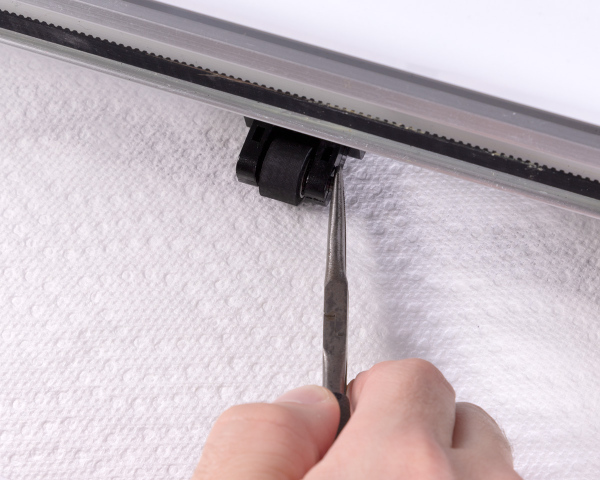
Keep pulling until the shaft is completely free from the wheel mechanism. Keep this shaft in the bag with the metal clip from earlier so you don’t lose it.
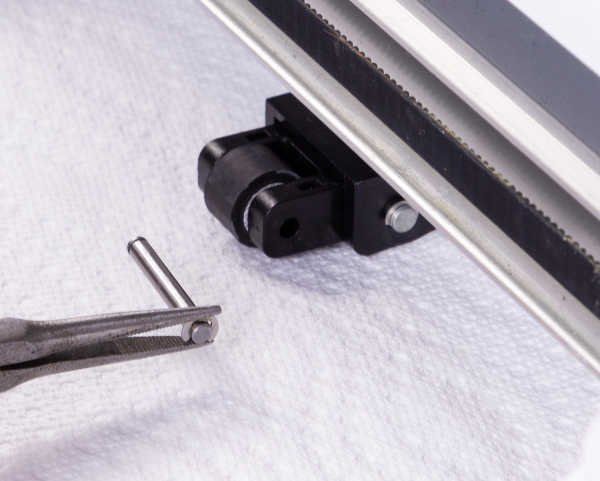
With the metal shaft removed, you can now pull the pinch wheel towards you, freeing it from the plank. Make sure you store your pinch wheel with the shaft and metal clip in case you want to reinstall it later.
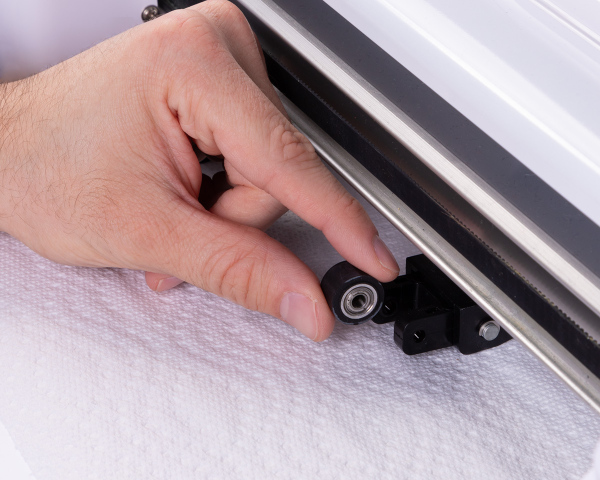
Done!
Ta-da! You’ve successfully removed the pinch wheel from your cutter! This method works on both Romeo and Juliet and can be done with ANY of the pinch wheels. You’re now free to cut your materials without worrying about a wheel getting in the way!
Important Note: Although the pinch wheel has been removed, the plank that holds the wheel may still drag on the surface of your material. Keep in mind that this may still leave light marks on certain thick materials.
Reinstalling the Pinch Wheel
Now let’s say your leather project is complete and you’re ready to go back to having your full set of pinch wheels. The good news is that the reinstallation process is just as simple as the removal process!
Step 1: Safety
Just like when you removed the pinch wheel, the first step is all about safety.
Make sure your cutter is unplugged, and that the carriage head is moved all the way to the left. You’ll also want to move the other pinch wheels out of the way so that you can focus on the empty mechanism where you’ll be reinstalling the removed pinch wheel.
Place a thin towel, piece of paper towel, or napkin underneath the mechanism just in case the metal clip slips and tries to sneak down into the roller bar crevice.
Step 2: Reattaching the Pinch Wheel
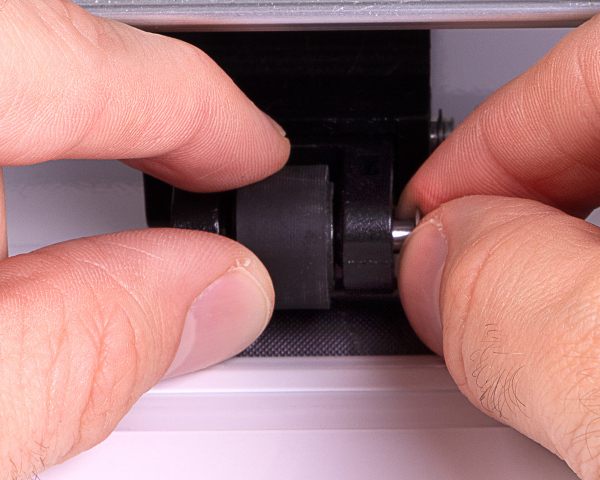
Once you’ve taken the necessary safety precautions, take the removed pinch wheel and slide it in between the plastic prongs of the empty plank.
Next, take the metal shaft and slide the end without the clip on it into the hole on the right side of the prongs. You may need to wiggle the wheel a bit so that the holes line up and the shaft fits through properly.
Step 3: Securing the Wheel
With the pinch wheel and the shaft now in place, the last step is to reattach the small metal clip so that everything is secure.
Use a pair of needle nose pliers to carefully grip the small metal clip and push the open end onto the exposed portion of the metal shaft on the left side of the pinch wheel.
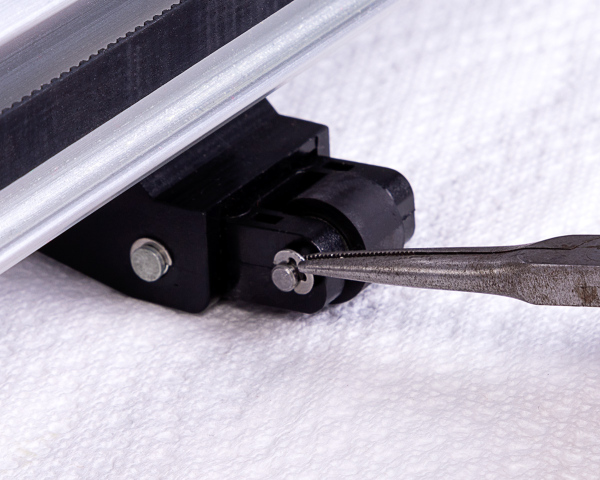
You will need to use some force to secure the metal clip back onto the shaft, and you should hear a “click” once the clip latches on. If you have the clip partially on the shaft, it may be easier to then switch to your EasyWeeder and push it into place the rest of the way.
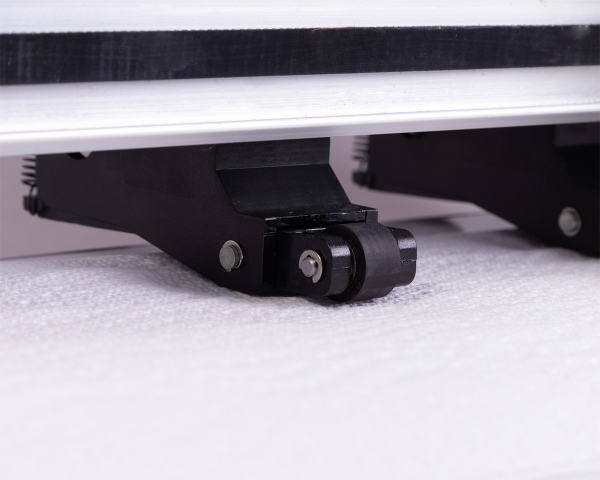
Viola! You’ve successfully reattached your Romeo or Juliet pinch wheel!
The power of Romeo and Juliet is in your hands!
Romeo and Juliet were designed to be creative powerhouses that adapt to YOUR workflow. Removing (and reattaching) the pinch wheels is just one more way you can customize your cutter experience!
And by following these guidelines, you can rest assured that you can safely remove the pinch wheels without voiding your cutter’s warranty!
Still having issues with your pinch wheels? We’re here to help! Feel free to contact our Tech Support team by emailing support@siserna.com for one-on-one assistance with your cutter!